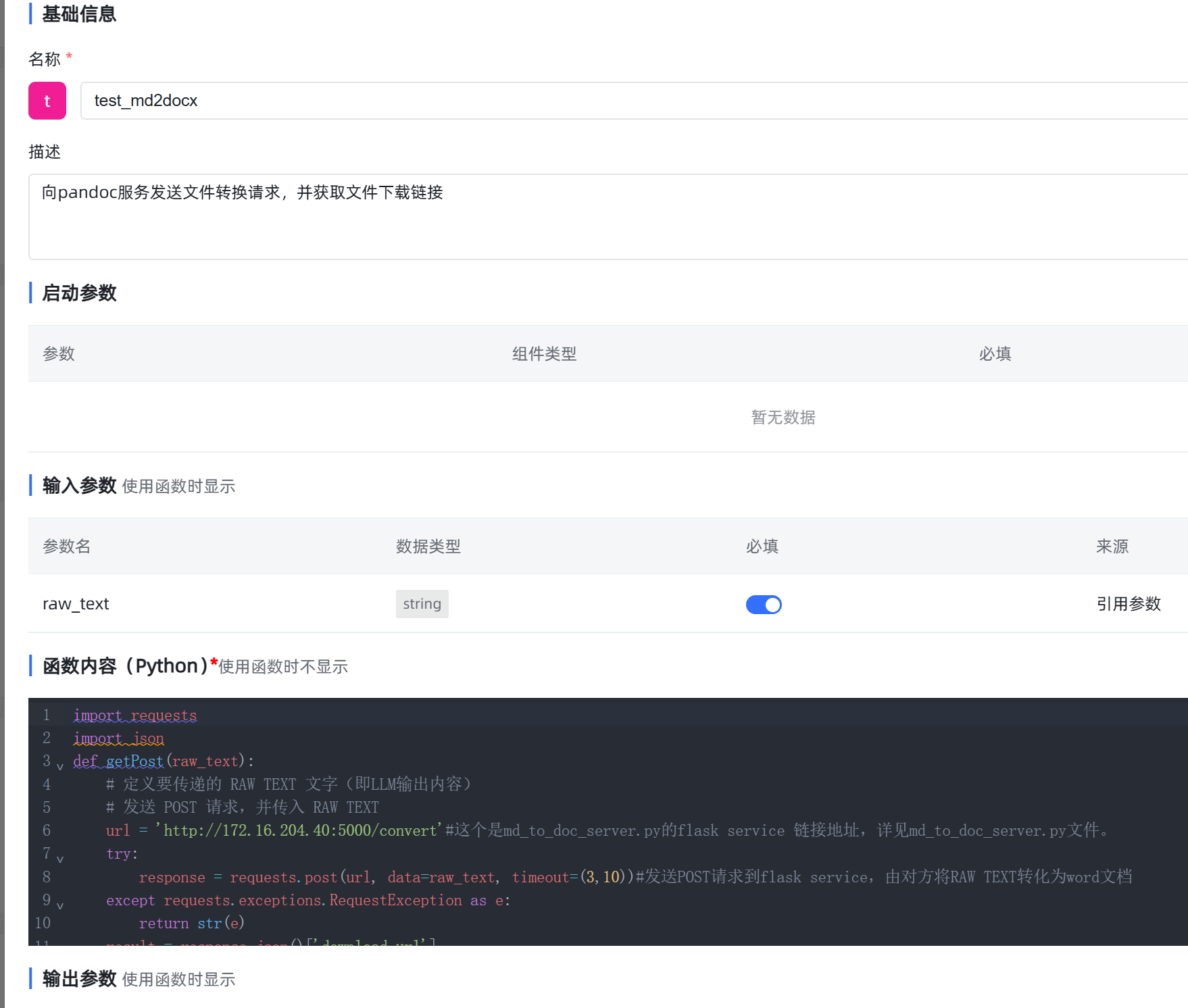
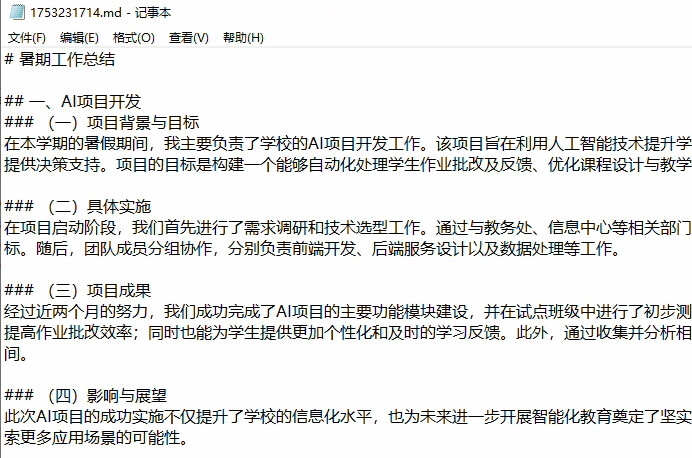
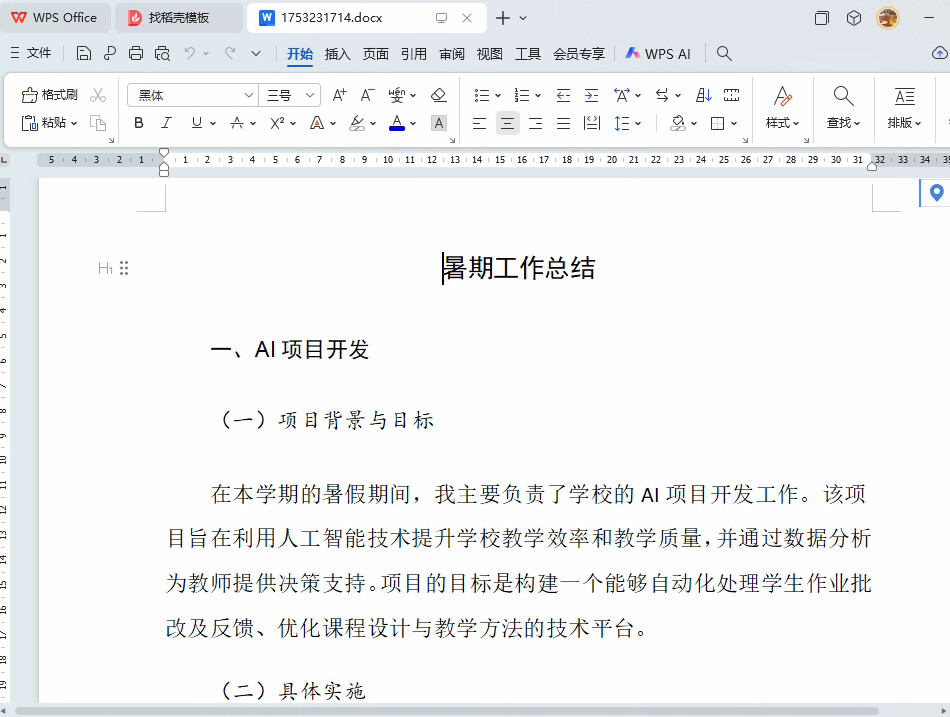
工具中设置代码如下,命名 markdown转docx :
import requests
import json
def getPost(raw_text):
    # 定义要传递的 RAW TEXT 文字(即LLM输出内容)
    # 发送 POST 请求,并传入 RAW TEXT
    url = 'http://xxx.xxx.xxx.xxx:8090/office/word/convert'#这个是md_to_doc_server.py的flask service 链接地址,详见md_to_doc_server.py文件。
    try:
        response = requests.post(url, data=raw_text, timeout=(3,10))#发送POST请求到flask service,由对方将RAW TEXT转化为word文档
    except requests.exceptions.RequestException as e:
        return str(e)
    result = response.json()['download_url']
    return "[--->>>>> 点这里下载包含本次对话内容的word文档]("+result+")"
    #return result
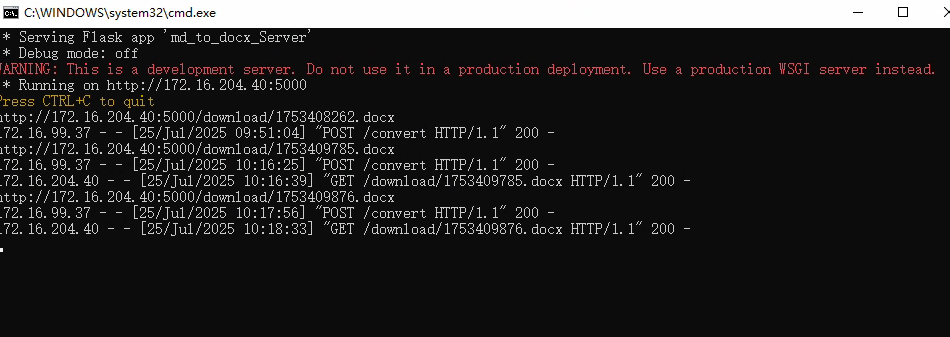
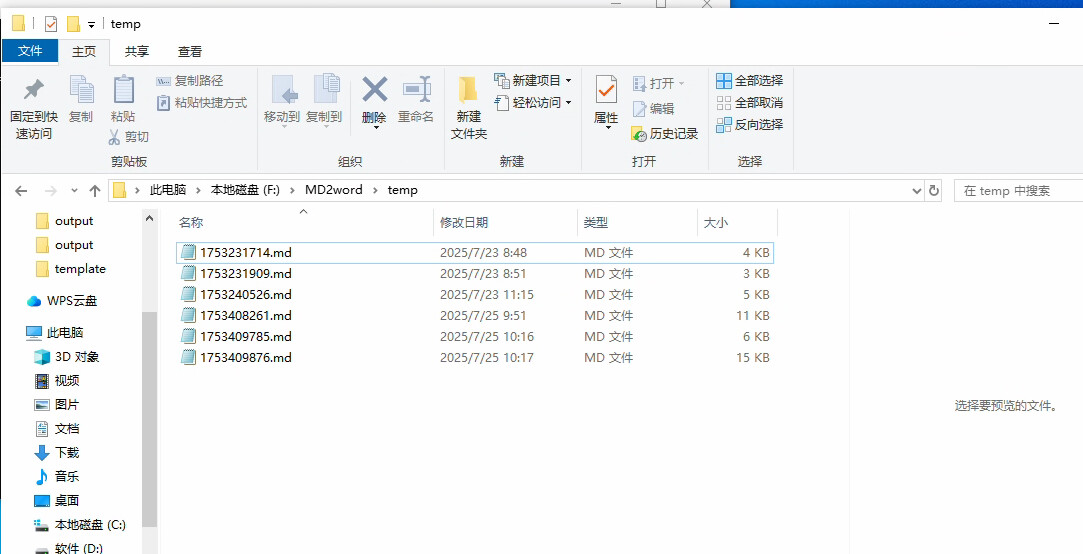
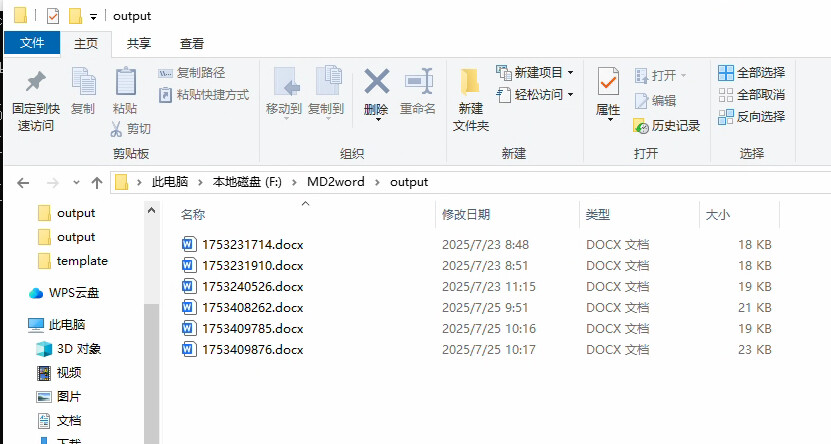
设置单独的python应用,文件名md_to_docx_server.py 代码如下
from fastapi import FastAPI, HTTPException, Request
from fastapi.responses import FileResponse, JSONResponse
import os
import time
import logging
from pydantic import BaseModel
from docx import Document as DocxDocument
from apscheduler.schedulers.background import BackgroundScheduler
from apscheduler.triggers.cron import CronTrigger
import datetime
import re

# 服务器配置
SERVER_PORT = 8090  # 默认端口,可在此修改

app = FastAPI(title="Markdown to Word Converter")

# 设置日志
logging.basicConfig(level=logging.INFO)
logger = logging.getLogger(__name__)

class MarkdownContent(BaseModel):
    content: str

# 获取当前程序运行目录并创建必要的目录
current_dir = os.path.dirname(os.path.abspath(__file__))
temp_dir = os.path.join(current_dir, 'temp')
output_dir = os.path.join(current_dir, 'output')
os.makedirs(temp_dir, exist_ok=True)
os.makedirs(output_dir, exist_ok=True)

def str2timestamp(date_str, format='%Y-%m-%d'):
    """将日期字符串转换为时间戳"""
    try:
        tp = time.strptime(date_str, format)
        return int(time.mktime(tp))
    except ValueError:
        return 0

def cleanup_old_files():
    """清理2天前的docx文件"""
    logger.info("开始清理过期文件...")

    # 计算2天前的日期和时间戳
    five_days_ago = datetime.datetime.now() - datetime.timedelta(days=2)
    standard_timestamp = str2timestamp(five_days_ago.strftime('%Y-%m-%d'))

    deleted_count = 0
    current_time = datetime.datetime.now()

    # 检查当前时间是否在19点到23点之间
    if current_time.hour >= 19 and current_time.hour < 23:
        if os.path.exists(output_dir):
            for filename in os.listdir(output_dir):
                if filename.endswith('.docx'):
                    file_path = os.path.join(output_dir, filename)

                    # 获取文件修改时间
                    file_mtime = os.path.getmtime(file_path)
                    file_date = datetime.datetime.fromtimestamp(file_mtime)

                    # 如果文件修改时间早于2天前,则删除
                    if file_mtime < standard_timestamp:
                        try:
                            os.remove(file_path)
                            deleted_count += 1
                            logger.info(f"已删除过期文件: {filename}")
                        except Exception as e:
                            logger.error(f"删除文件失败 {filename}: {str(e)}")

    logger.info(f"文件清理完成,共删除 {deleted_count} 个文件")

import re

def convert_markdown_to_docx(markdown_content: str, output_path: str):
    """将Markdown内容转换为Word文档"""
    from docx.shared import Pt
    from docx.enum.style import WD_STYLE_TYPE

    doc = DocxDocument()

    # 设置默认字体为宋体
    for style in doc.styles:
        if style.type == WD_STYLE_TYPE.PARAGRAPH or style.type == WD_STYLE_TYPE.CHARACTER:
            if hasattr(style.font, 'name'):
                style.font.name = '宋体'
                # 解决Windows与Mac字体不一致问题
                style.font.name_ascii = 'Times New Roman'
                style.font.name_east_asia = '宋体'

    # 预编译正则表达式
    bold_pattern = re.compile(r'\*\*(.*?)\*\*|__(.*?)__')
    italic_pattern = re.compile(r'\*(.*?)\*|_(.*?)_')
    code_pattern = re.compile(r'`(.*?)`')
    link_pattern = re.compile(r'\[(.*?)\]\((.*?)\)')
    heading_pattern = re.compile(r'^(#{1,6})\s+(.*)$')

    lines = markdown_content.split('\n')
    i = 0

    while i < len(lines):
        line = lines[i].strip()
        i += 1

        if not line:
            continue

        # 处理标题
        heading_match = heading_pattern.match(line)
        if heading_match:
            hashes, title_text = heading_match.groups()
            level = len(hashes)
            if level == 1:
                # 一级标题
                doc.add_heading(title_text, level=0)
            elif level == 2:
                # 二级标题
                doc.add_heading(title_text, level=1)
            elif level == 3:
                # 三级标题
                doc.add_heading(title_text, level=2)
            else:
                # 四级及以上标题
                doc.add_heading(title_text, level=2)
            continue

        # 处理列表
        if line.startswith('- ') or line.startswith('* '):
            # 无序列表
            list_items = []
            # 收集所有连续的列表项
            while i <= len(lines):
                list_items.append(line[2:].strip())
                if i < len(lines):
                    next_line = lines[i].strip()
                    if next_line.startswith('- ') or next_line.startswith('* '):
                        line = next_line
                        i += 1
                    else:
                        break
                else:
                    break

            # 添加无序列表
            for item in list_items:
                para = doc.add_paragraph(style='List Bullet')
                # 处理行内格式
                add_formatted_text(para, item, bold_pattern, italic_pattern, code_pattern, link_pattern)
            continue

        # 处理数字列表
        if line and line[0].isdigit() and '.' in line[:3]:
            # 有序列表
            list_items = []
            # 收集所有连续的列表项
            while i <= len(lines):
                # 提取列表文本
                list_text = line.split('.', 1)[1].strip() if '.' in line else line
                list_items.append(list_text)
                if i < len(lines):
                    next_line = lines[i].strip()
                    if next_line and next_line[0].isdigit() and '.' in next_line[:3]:
                        line = next_line
                        i += 1
                    else:
                        break
                else:
                    break

            # 添加有序列表
            for item in list_items:
                para = doc.add_paragraph(style='List Number')
                # 处理行内格式
                add_formatted_text(para, item, bold_pattern, italic_pattern, code_pattern, link_pattern)
            continue

        # 处理代码块
        if line.startswith('```'):
            # 收集代码块内容
            code_content = []
            while i < len(lines):
                code_line = lines[i]
                i += 1
                if code_line.strip() == '```':
                    break
                code_content.append(code_line)

            # 添加代码块
            para = doc.add_paragraph()
            run = para.add_run('\n'.join(code_content))
            run.font.name = 'Courier New'
            run.font.name_ascii = 'Courier New'
            run.font.size = Pt(10)
            continue

        # 处理引用
        if line.startswith('>'):
            # 收集引用内容
            quote_content = []
            while i <= len(lines):
                if line.startswith('>'):
                    quote_content.append(line[1:].strip())
                if i < len(lines):
                    next_line = lines[i].strip()
                    if next_line.startswith('>') or not next_line:
                        line = next_line
                        i += 1
                    else:
                        break
                else:
                    break

            # 添加引用
            para = doc.add_paragraph('\n'.join(quote_content), style='Intense Quote')
            continue

        # 处理表格
        if line.startswith('|') and '|' in line:
            # 收集表格内容
            table_lines = []
            while i <= len(lines):
                table_lines.append(line)
                if i < len(lines):
                    next_line = lines[i].strip()
                    if next_line.startswith('|') or '|' in next_line:
                        line = next_line
                        i += 1
                    else:
                        break
                else:
                    break

            # 简单处理表格,作为普通文本添加
            para = doc.add_paragraph('\n'.join(table_lines))
            continue

        # 处理分隔线
        if line.startswith('---') or line.startswith('***'):
            para = doc.add_paragraph()
            para.add_run('-' * 50)
            continue

        # 处理普通段落
        para = doc.add_paragraph()
        add_formatted_text(para, line, bold_pattern, italic_pattern, code_pattern, link_pattern)

    doc.save(output_path)

def add_formatted_text(para, text, bold_pattern, italic_pattern, code_pattern, link_pattern):
    """向段落中添加带有格式的文本"""
    from docx.shared import Pt

    # 处理文本中的各种格式

    # 先处理粗体
    pos = 0
    for match in bold_pattern.finditer(text):
        # 添加匹配前的文本
        if match.start() > pos:
            run = para.add_run(text[pos:match.start()])
            run.font.name = '宋体'
        # 添加粗体文本
        bold_text = match.group(1) or match.group(2)
        run = para.add_run(bold_text)
        run.font.name = '宋体'
        run.bold = True
        pos = match.end()

    # 更新文本为处理粗体后的剩余部分
    text = text[pos:]
    pos = 0

    # 处理斜体
    for match in italic_pattern.finditer(text):
        # 添加匹配前的文本
        if match.start() > pos:
            run = para.add_run(text[pos:match.start()])
            run.font.name = '宋体'
        # 添加斜体文本
        italic_text = match.group(1) or match.group(2)
        run = para.add_run(italic_text)
        run.font.name = '宋体'
        run.italic = True
        pos = match.end()

    # 更新文本为处理斜体后的剩余部分
    text = text[pos:]
    pos = 0

    # 处理行内代码
    for match in code_pattern.finditer(text):
        # 添加匹配前的文本
        if match.start() > pos:
            run = para.add_run(text[pos:match.start()])
            run.font.name = '宋体'
        # 添加代码文本
        code_text = match.group(1)
        run = para.add_run(code_text)
        run.font.name = 'Courier New'
        run.font.size = Pt(10)
        pos = match.end()

    # 更新文本为处理代码后的剩余部分
    text = text[pos:]
    pos = 0

    # 处理链接
    for match in link_pattern.finditer(text):
        # 添加匹配前的文本
        if match.start() > pos:
            run = para.add_run(text[pos:match.start()])
            run.font.name = '宋体'
        # 添加链接文本
        link_text = match.group(1)
        link_url = match.group(2)
        run = para.add_run(link_text)
        run.font.name = '宋体'
        run.underline = True
        run = para.add_run(f" ({link_url})")
        run.font.name = '宋体'
        pos = match.end()

    # 添加剩余文本
    if pos < len(text):
        run = para.add_run(text[pos:])
        run.font.name = '宋体'

def init_scheduler():
    """初始化定时任务调度器"""
    scheduler = BackgroundScheduler(timezone='Asia/Shanghai')

    # 每天22点开始执行清理任务,每分钟检查一次直到23点
    scheduler.add_job(
        cleanup_old_files,
        trigger=CronTrigger(hour=22, minute='*'),
        id='cleanup_job'
    )

    return scheduler

@app.on_event("startup")
async def startup_event():
    """应用启动时初始化定时任务"""
    scheduler = init_scheduler()
    scheduler.start()
    logger.info("定时任务调度器已启动,将在每天22:00-23:00期间执行文件清理")

@app.post("/office/word/convert")
async def convert_md_to_docx(request: Request):
    logger.info('Received request for /convert')

    # 在转换前先执行清理操作(如果当前时间在22-23点之间)
    current_time = datetime.datetime.now()
    if current_time.hour >= 22 and current_time.hour < 23:
        cleanup_old_files()

    try:
        content = await request.body()
        logger.info(f'Received content length: {len(content)} bytes')

        if not content:
            logger.error('No content part in the request')
            return JSONResponse(content={"error": "No content part"}, status_code=400)

        content = content.decode('utf-8')
        logger.info(f'Content preview: {content[:100]}...')

        if content == '':
            logger.error('No content provided')
            return JSONResponse(content={"error": "No content provided"}, status_code=400)

        # 从请求的内容中读取
        mdfile_name = str(int(time.time())) + ".md"
        md_file_path = os.path.join(temp_dir, mdfile_name)

        with open(md_file_path, 'w', encoding='utf-8') as f:
            f.write(content)

        # 将Markdown文件转换为Word文档
        file_name = str(int(time.time())) + ".docx"
        output_path = os.path.join(output_dir, file_name)

        # 读取Markdown文件内容
        with open(md_file_path, 'r', encoding='utf-8') as f:
            markdown_content = f.read()

        # 调用转换函数
        convert_markdown_to_docx(markdown_content, output_path)

        # 清理临时文件
        if os.path.exists(md_file_path):
            os.remove(md_file_path)

        # 返回文件的下载链接
        base_url = str(request.base_url)
        download_url = base_url + 'office/word/download/' + os.path.basename(output_path)
        logger.info(f'Conversion successful: {download_url}')
        return JSONResponse(content={"download_url": download_url}, status_code=200)

    except Exception as e:
        logger.error(f'Conversion failed: {str(e)}', exc_info=True)
        # 清理临时文件
        if 'md_file_path' in locals() and os.path.exists(md_file_path):
            os.remove(md_file_path)
        return JSONResponse(content={"error": f"Conversion failed: {str(e)}"}, status_code=500)

@app.get("/office/word/download/{filename}")
async def download_file(filename: str):
    file_path = os.path.join(output_dir, filename)
    if not os.path.exists(file_path):
        raise HTTPException(status_code=404, detail="File not found")
    return FileResponse(file_path, filename=filename)

if __name__ == "__main__":
    import uvicorn
    print(f"Starting server on port {SERVER_PORT}...")
    uvicorn.run(app, host="0.0.0.0", port=SERVER_PORT)
依赖 requirements.txt
代码如下:
fastapi==0.104.1
uvicorn==0.24.0
python-docx==1.1.0
apscheduler==3.10.4
可以直接用,也可以让大模型优化一下再部署