2026-01-24 01:30:31
PLAY [all] *********************************************************************
2026-01-24 01:30:31
TASK [Gathering Facts] *********************************************************
2026-01-24 01:30:38 ok: [192.168.50.32]
2026-01-24 01:30:38
TASK [Install applet] **********************************************************
2026-01-24 01:30:45 fatal: [192.168.50.32]: FAILED! => {“changed”: true, “debug”: [], “error”: [{“category_info”: {“activity”: “”, “category”: “ObjectNotFound”, “category_id”: 13, “reason”: “CommandNotFoundException”, “target_name”: “tinkerd”, “target_type”: “String”}, “error_details”: null, “exception”: {“help_link”: null, “hresult”: -2146233087, “inner_exception”: null, “message”: “The term ‘tinkerd’ is not recognized as the name of a cmdlet, function, script file, or operable program. Check the spelling of the name, or if a path was included, verify that the path is correct and try again.”, “source”: “System.Management.Automation”, “type”: “System.Management.Automation.CommandNotFoundException”}, “fully_qualified_error_id”: “CommandNotFoundException”, “output”: “tinkerd : The term ‘tinkerd’ is not recognized as the name of a cmdlet, function, script file, or operable program. Chec\r\nk the spelling of the name, or if a path was included, verify that the path is correct and try again.\r\nAt line:1 char:1\r\n+ tinkerd install --name mysql_workbench8\r\n+ ~~~~~~~\r\n + CategoryInfo : ObjectNotFound: (tinkerd:String) [], CommandNotFoundException\r\n + FullyQualifiedErrorId : CommandNotFoundException\r\n \r\n”, “pipeline_iteration_info”: [], “script_stack_trace”: “at , : line 1”,“target_object”: “tinkerd”}], “host_err”: “”, “host_out”: “Failed to install mysql_workbench8\r\nExit code: \r\n”, “information”: [{“message_data”: {“BackgroundColor”: null, “ForegroundColor”: null, “Message”: “Failed to install mysql_workbench8”, “NoNewLine”: false}, “source”: “Write-Host”, “tags”: [“PSHOST”], “time_generated”: “2026-01-23T17:30:44.5676471Z”}, {“message_data”: {“BackgroundColor”: null, “ForegroundColor”: null, “Message”: "Exit code: ", “NoNewLine”: false}, “source”: “Write-Host”, “tags”: [“PSHOST”], “time_generated”: “2026-01-23T17:30:44.5832774Z”}], “output”: [], “result”: {}, “verbose”: [], “warning”: []}
2026-01-24 01:30:45
PLAY RECAP *********************************************************************
192.168.50.32 : ok=1 changed=0 unreachable=0 failed=1 skipped=0 rescued=0 ignored=0
2026-01-24 01:30:45 Task terminal.tasks.run_applet_host_deployment_install_applet[7cbd3d1c-a0f3-43ff-98e1-2620b328f8fe] succeeded in 15.782076881005196s: None
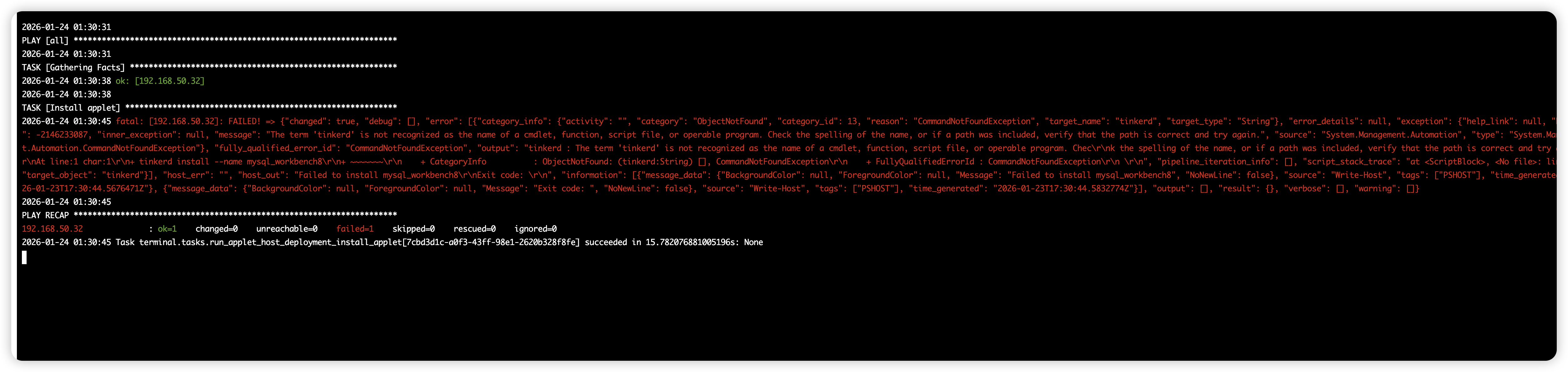
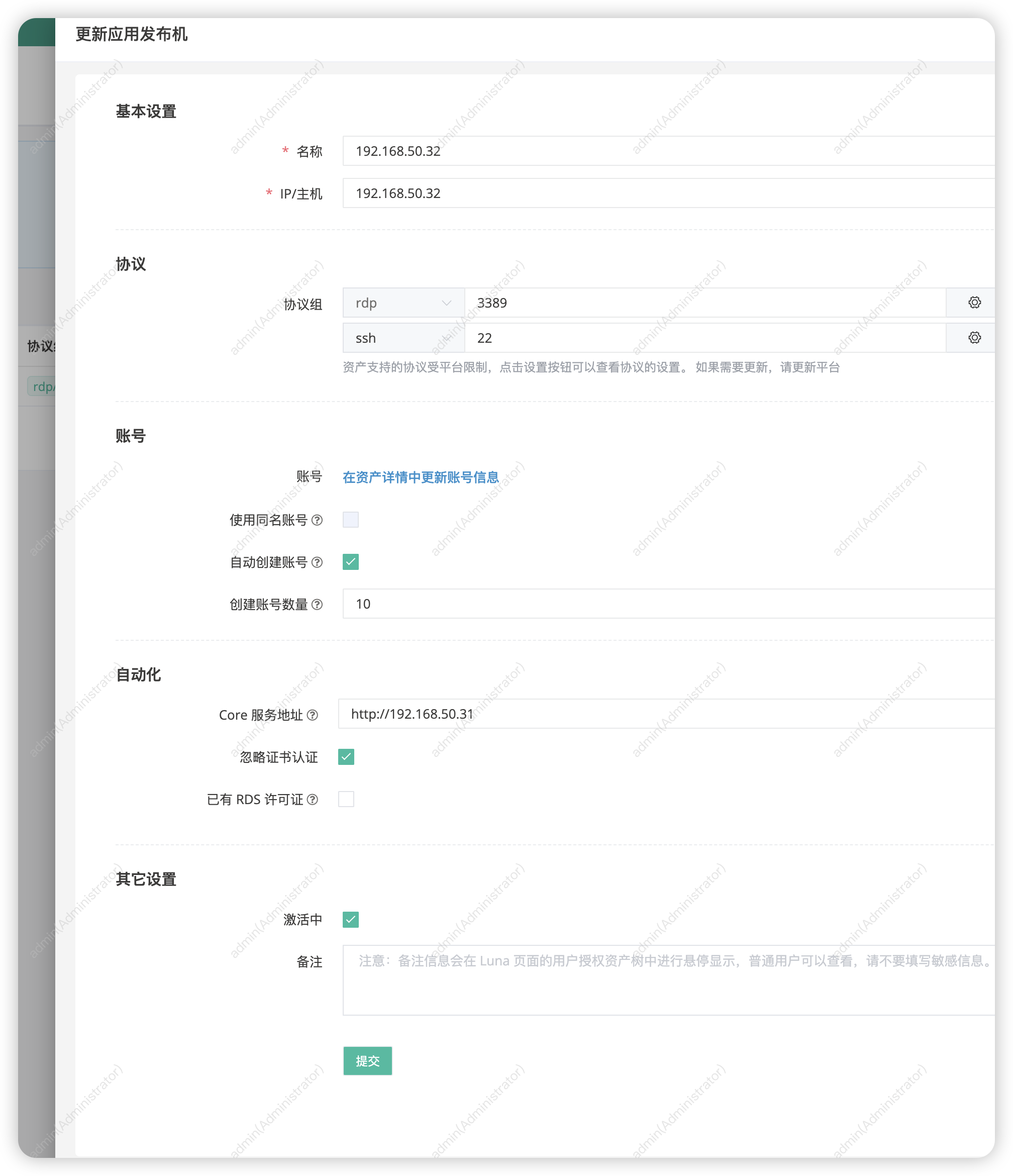
- 该问题涉及的远程应用发布机部署失败,提示
tinkerd命令未识别,表明目标主机未正确安装或注册 Tinker 服务。 - 请登录目标主机 192.168.50.32,检查路径
C:\Users\Administrator\AppData\Local\Programs\Tinker\是否存在tinkerd.exe文件。 - 若存在,请以管理员身份运行命令行,进入该目录并执行
.\tinkerd.exe service uninstall卸载残留服务,然后重新在 JumpServer 控制台执行安装任务。 - 若路径不存在或文件缺失,请确保发布机网络可达且 JumpServer 可正常推送安装包;必要时手动清理注册表中 Tinker 相关项后重试。
- 若问题持续,建议查看 JumpServer 任务日志及目标主机系统事件日志进一步排查。