1Panel 版本:2.1.3(子节点社区版),2.1.13(主节点专业版)
操作系统(设备): Debian GNU/Linux 12 6.1.0-10-amd64 x86_64
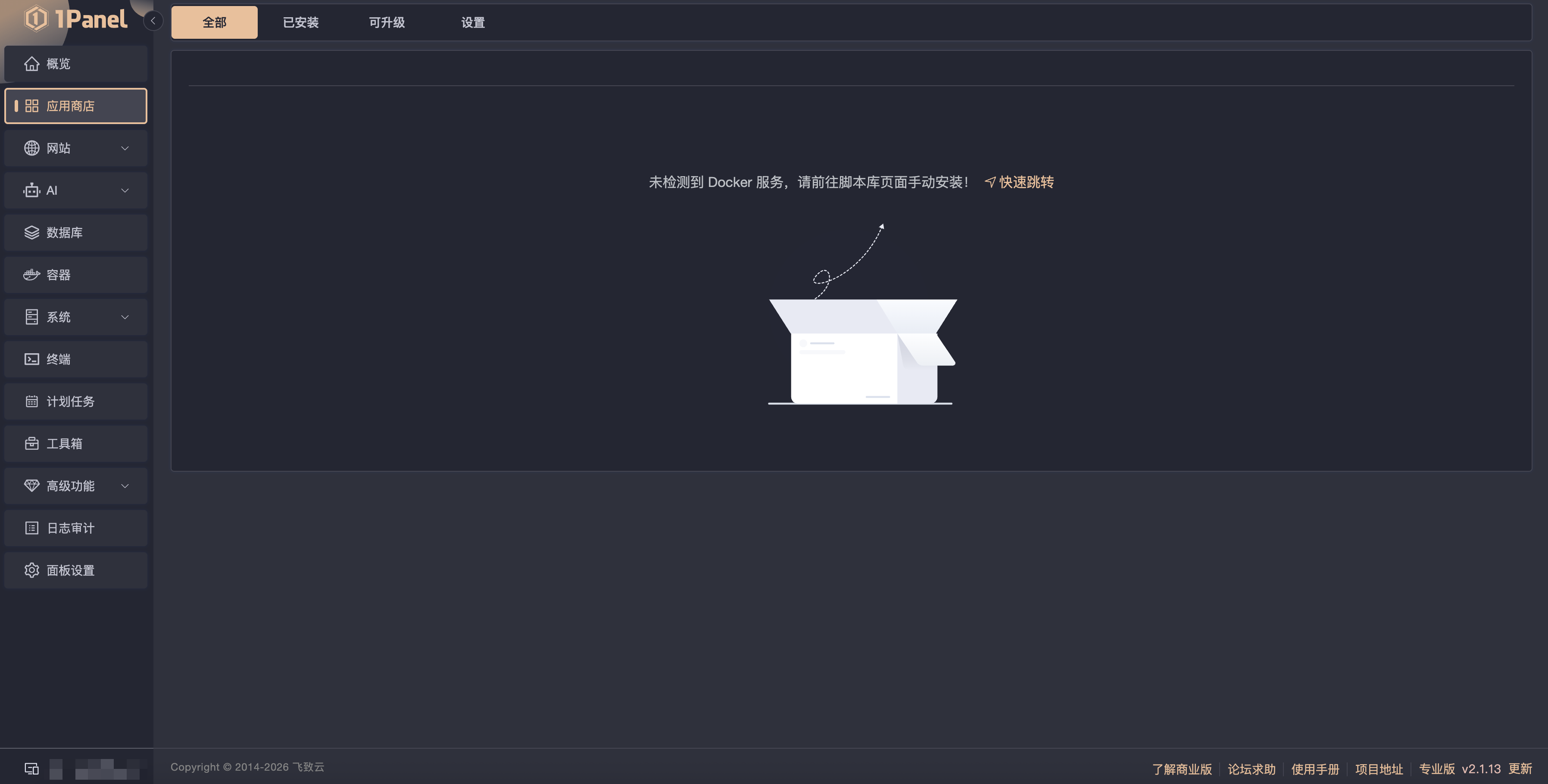
关键截图:
日志:
root@debian-4gb-hel1-2:/# bash -c "$INIT_SCRIPT"
Current server location: FI
# Executing docker install script, commit: 2687d91ddeb3bd6aeae37a90947761efdee87030
Warning: the "docker" command appears to already exist on this system.

If you already have Docker installed, this script can cause trouble, which is
why we're displaying this warning and provide the opportunity to cancel the
installation.

If you installed the current Docker package using this script and are using it
again to update Docker, you can ignore this message, but be aware that the
script resets any custom changes in the deb and rpm repo configuration
files to match the parameters passed to the script.

You may press Ctrl+C now to abort this script.
+ sleep 20
+ sh -c apt-get -qq update >/dev/null
+ sh -c DEBIAN_FRONTEND=noninteractive apt-get -y -qq install ca-certificates curl >/dev/null
+ sh -c install -m 0755 -d /etc/apt/keyrings
+ sh -c curl -fsSL "https://download.docker.com/linux/debian/gpg" -o /etc/apt/keyrings/docker.asc
+ sh -c chmod a+r /etc/apt/keyrings/docker.asc
+ sh -c echo "deb [arch=amd64 signed-by=/etc/apt/keyrings/docker.asc] https://download.docker.com/linux/debian bookworm stable" > /etc/apt/sources.list.d/docker.list
+ sh -c apt-get -qq update >/dev/null
+ sh -c DEBIAN_FRONTEND=noninteractive apt-get -y -qq install docker-ce docker-ce-cli containerd.io docker-compose-plugin docker-ce-rootless-extras docker-buildx-plugin docker-model-plugin >/dev/null
Using systemd to manage Docker service
+ sh -c systemctl enable --now docker.service 2>/dev/null
INFO: Docker daemon enabled and started

+ sh -c docker version
Client: Docker Engine - Community
 Version:           29.5.2
 API version:       1.54
 Go version:        go1.26.3
 Git commit:        79eb04c
 Built:             Wed May 20 14:38:09 2026
 OS/Arch:           linux/amd64
 Context:           default

Server: Docker Engine - Community
 Engine:
  Version:          29.5.2
  API version:      1.54 (minimum version 1.40)
  Go version:       go1.26.3
  Git commit:       568f755
  Built:            Wed May 20 14:38:09 2026
  OS/Arch:          linux/amd64
  Experimental:     false
 containerd:
  Version:          v2.2.4
  GitCommit:        193637f7ee8ae5f5aa5248f49e7baa3e6164966e
 runc:
  Version:          1.3.5
  GitCommit:        v1.3.5-0-g488fc13e
 docker-init:
  Version:          0.19.0
  GitCommit:        de40ad0

================================================================================

To run Docker as a non-privileged user, consider setting up the
Docker daemon in rootless mode for your user:

    dockerd-rootless-setuptool.sh install

Visit https://docs.docker.com/go/rootless/ to learn about rootless mode.


To run the Docker daemon as a fully privileged service, but granting non-root
users access, refer to https://docs.docker.com/go/daemon-access/

WARNING: Access to the remote API on a privileged Docker daemon is equivalent
         to root access on the host. Refer to the 'Docker daemon attack surface'
         documentation for details: https://docs.docker.com/go/attack-surface/

================================================================================

root@debian-4gb-hel1-2:/#
问题描述:
1.商店提示:未检测到 Docker 服务,请前往脚本库页面手动安装!
2.在计划任务-脚本库执行了docker安装脚本,安装后进入商店页面还是提示没有docker,也重启服务器、重启面板过,并且重装过子节点服务器,属于全新纯净的。
3.子节点添加的时候是社区许可证,主节点是专业版许可证