提问之前请先在 1Panel 问题排查思路 找一下有没有解决方案
提需求请在 https://github.com/1Panel-dev/1Panel/issues 这里提 100% 回复
应用安装失败,升级失败,安装时间长 请参考 Docker Hub 无法访问:应用安装失败,镜像拉取超时的解决方案
没有携带以下信息的问题很有可能不被回答
反馈问题【BUG】请附带以下信息
1Panel 版本:v2.2.2
操作系统(设备): debian
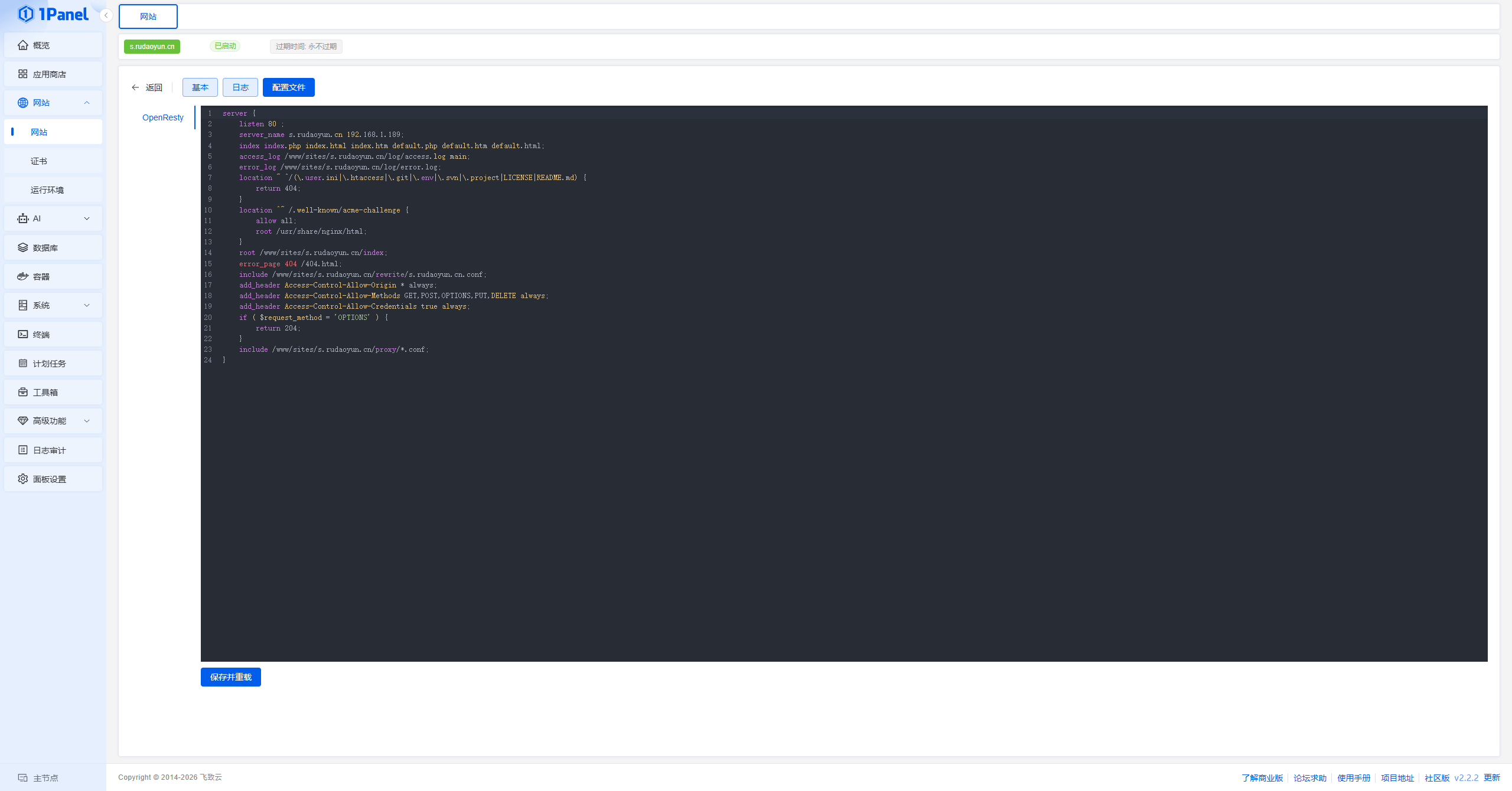
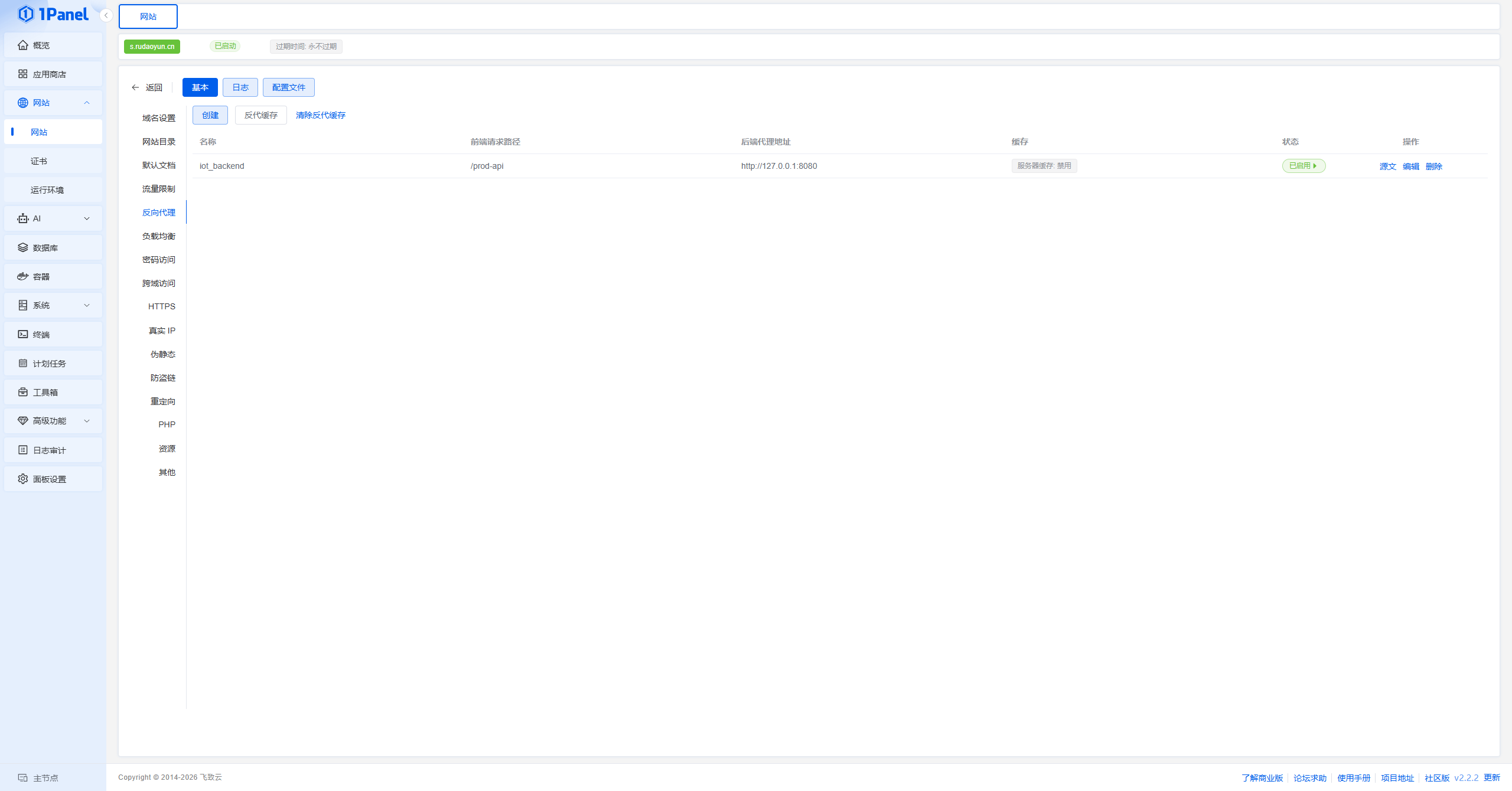
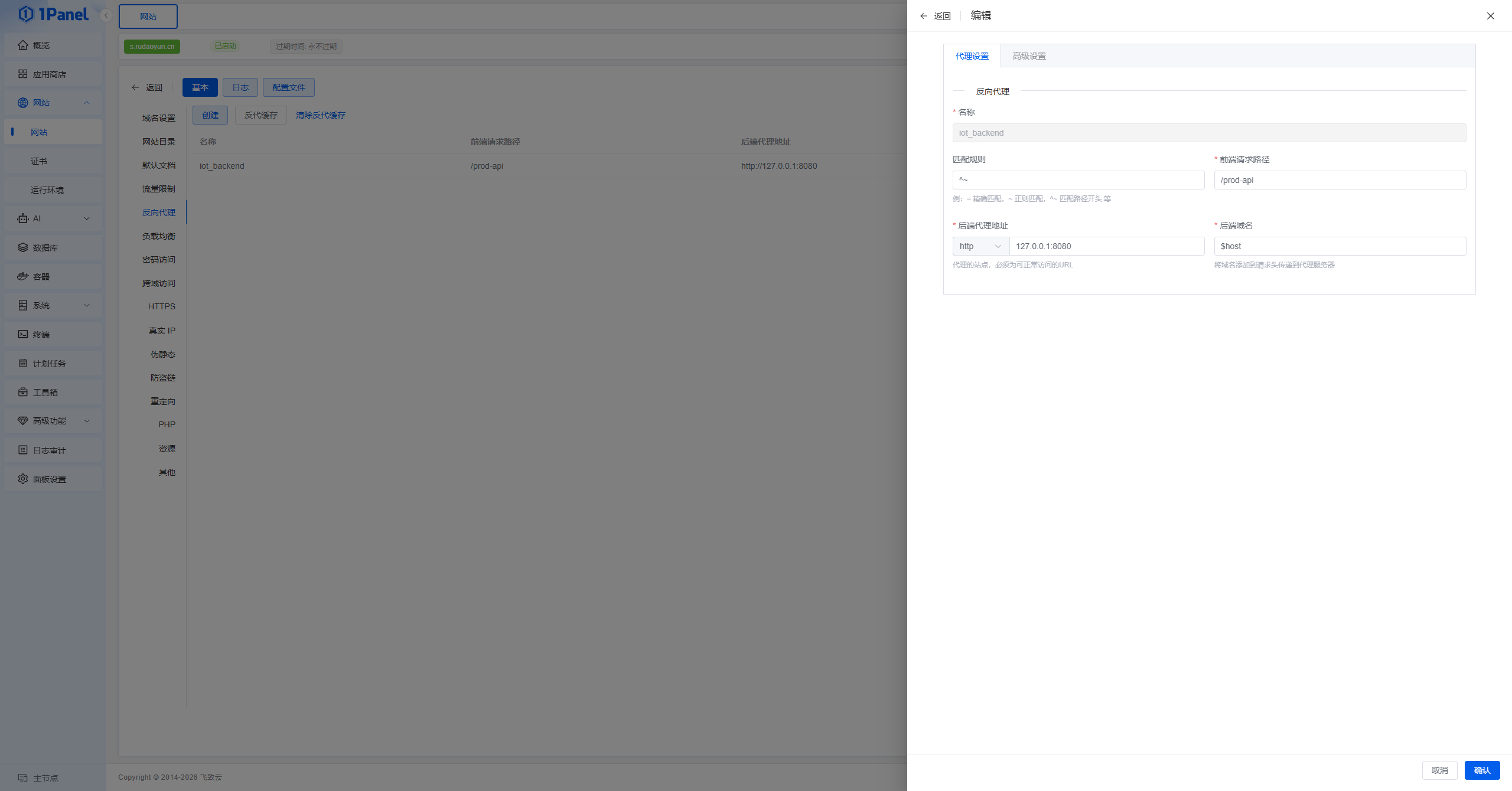
关键截图:
日志:
请求网址:
http://192.168.1.189/prod-api/captchaImage
请求方法:
GET
状态代码:
200 OK
远程地址:
192.168.1.189:80
引荐来源网址政策:
no-referrer-when-downgrade
{
“msg”: “请求访问:/prod-api/captchaImage,认证失败,无法访问系统资源”,
“code”: 401
}
部署的若依分离版,前端创建的静态网站添加后端反向代理,后端创建的JAVA运行环境。为什么请求未过滤掉prod-api?
前端配置
server {
listen 80 ;
server_name s.rudaoyun.cn 192.168.1.189;
index index.php index.html index.htm default.php default.htm default.html;
access_log /www/sites/s.rudaoyun.cn/log/access.log main;
error_log /www/sites/s.rudaoyun.cn/log/error.log;
location ~ ^/(.user.ini|.htaccess|.git|.env|.svn|.project|LICENSE|README.md) {
return 404;
}
location ^~ /.well-known/acme-challenge {
allow all;
root /usr/share/nginx/html;
}
root /www/sites/s.rudaoyun.cn/index;
error_page 404 /404.html;
include /www/sites/s.rudaoyun.cn/rewrite/s.rudaoyun.cn.conf;
add_header Access-Control-Allow-Origin * always;
add_header Access-Control-Allow-Methods GET,POST,OPTIONS,PUT,DELETE always;
add_header Access-Control-Allow-Credentials true always;
if ( $request_method = ‘OPTIONS’ ) {
return 204;
}
include /www/sites/s.rudaoyun.cn/proxy/*.conf;
}
反代配置
location ^~ /prod-api {
proxy_pass http://127.0.0.1:8080;
proxy_set_header Host $host;
proxy_set_header X-Real-IP $remote_addr;
proxy_set_header X-Forwarded-For $proxy_add_x_forwarded_for;
proxy_set_header REMOTE-HOST $remote_addr;
proxy_set_header Upgrade $http_upgrade;
proxy_set_header Connection $http_connection;
proxy_set_header X-Forwarded-Proto $scheme;
proxy_set_header X-Forwarded-Port $server_port;
proxy_http_version 1.1;
add_header X-Cache $upstream_cache_status;
proxy_ssl_server_name off;
proxy_ssl_name $proxy_host;
}